

This guide provides beginners with clear, practical, and detailed step-by-step instructions on effectively using TikTok Ads Manager to create and manage successful advertising campaigns.
TikTok Ads Manager is TikTok’s official advertising platform designed for businesses to create, track, and optimize ads. It provides robust tools to reach TikTok’s vast and engaged audience, making it ideal for businesses of all sizes.
Facebook Ads vs Tiktok Ads – Which one is right for my business?
{
“@context”: “https://schema.org”,
“@type”: “HowTo”,
“name”: “How to Manage TikTok Ads: Step-by-Step (Setup, Optimize, Scale)”,
“description”: “A practical step-by-step process to manage TikTok ads effectively—from campaign setup and tracking to creative testing, optimization, and scaling—written for beginners and marketers who want consistent results.”,
“totalTime”: “PT2H”,
“estimatedCost”: {
“@type”: “MonetaryAmount”,
“currency”: “USD”,
“value”: “50”
},
“supply”: [
{
“@type”: “HowToSupply”,
“name”: “TikTok Ads Manager account”
},
{
“@type”: “HowToSupply”,
“name”: “Approved payment method (card or prepaid balance)”
},
{
“@type”: “HowToSupply”,
“name”: “Landing page or product page with clear offer”
},
{
“@type”: “HowToSupply”,
“name”: “3–6 short vertical video creatives (9:16)”
},
{
“@type”: “HowToSupply”,
“name”: “Tracking plan (Pixel + events or SDK + events)”
}
],
“tool”: [
{
“@type”: “HowToTool”,
“name”: “TikTok Ads Manager”
},
{
“@type”: “HowToTool”,
“name”: “TikTok Pixel (for websites) or TikTok Events SDK (for apps)”
},
{
“@type”: “HowToTool”,
“name”: “TikTok Creative Center (for inspiration and trends)”
},
{
“@type”: “HowToTool”,
“name”: “Analytics tool (GA4, Shopify analytics, or your CRM)”
}
],
“step”: [
{
“@type”: “HowToStep”,
“name”: “Start with one clear goal (don’t mix objectives)”,
“text”: “Pick a single outcome for the campaign: purchases, leads, app installs, or traffic. A focused goal helps TikTok’s delivery system learn faster and avoids “confused optimization,” where you get cheap clicks but weak business results.”,
“url”: “https://example.com/how-to-manage-tiktok-ads#goal”
},
{
“@type”: “HowToStep”,
“name”: “Set up tracking before you spend (Pixel/SDK + events)”,
“text”: “Install the TikTok Pixel (website) or Events SDK (app), then configure key events such as ViewContent, AddToCart, InitiateCheckout, Purchase, or Lead. Confirm events are firing correctly so your optimization is based on real actions—not guesses.”,
“url”: “https://example.com/how-to-manage-tiktok-ads#tracking”
},
{
“@type”: “HowToStep”,
“name”: “Build a clean campaign structure (simple beats complex)”,
“text”: “Create one campaign per objective, then keep ad groups organized by audience or angle. Use clear naming (Offer_Audience_CreativeType_Date). A tidy structure makes it easier to diagnose performance and scale winners without breaking what’s working.”,
“url”: “https://example.com/how-to-manage-tiktok-ads#structure”
},
{
“@type”: “HowToStep”,
“name”: “Choose audiences the algorithm can learn from”,
“text”: “Start with broad targeting or lightly filtered interests so TikTok has room to find buyers. Then add retargeting (site visitors, video viewers) and lookalikes once you have enough conversions. Over-targeting early often raises costs and limits delivery.”,
“url”: “https://example.com/how-to-manage-tiktok-ads#audience”
},
{
“@type”: “HowToStep”,
“name”: “Set budgets and bids that allow real testing”,
“text”: “Give each ad group enough daily budget to collect meaningful data. If you’re optimizing for conversions, aim for a budget that can realistically generate several conversions per day. Tiny budgets can stall learning and produce misleading results.”,
“url”: “https://example.com/how-to-manage-tiktok-ads#budget”
},
{
“@type”: “HowToStep”,
“name”: “Launch with multiple creatives (creative is the targeting)”,
“text”: “Upload 3–6 distinct video ads per ad group. Mix angles: problem/solution, demo, testimonial, UGC-style, and offer-led. Use vertical format, strong first 2 seconds, simple on-screen text, and an obvious next step. TikTok rewards fresh, native-looking creatives.”,
“url”: “https://example.com/how-to-manage-tiktok-ads#creative”
},
{
“@type”: “HowToStep”,
“name”: “Write ad copy that matches the landing page”,
“text”: “Keep your message consistent from ad to page: same promise, same offer, same audience. If the ad says “20% off,” the landing page must show it clearly. Message mismatch is one of the fastest ways to burn budget on clicks that never convert.”,
“url”: “https://example.com/how-to-manage-tiktok-ads#copy”
},
{
“@type”: “HowToStep”,
“name”: “Monitor the right metrics (not vanity numbers)”,
“text”: “Track CTR, CPC, CPM, conversion rate, cost per result (CPA/CPL), and ROAS (for ecommerce). Use these signals to identify whether the issue is creative (low CTR), auction cost (high CPM), or funnel/offer (low conversion rate).”,
“url”: “https://example.com/how-to-manage-tiktok-ads#metrics”
},
{
“@type”: “HowToStep”,
“name”: “Optimize with a routine: keep winners, cut losers, iterate”,
“text”: “After enough data, pause ads with weak performance and keep the best performers running. Improve one variable at a time—new hook, new offer, new audience, or new landing page. Make small, deliberate changes so you can clearly see what improved results.”,
“url”: “https://example.com/how-to-manage-tiktok-ads#optimize”
},
{
“@type”: “HowToStep”,
“name”: “Scale profitably (don’t spike budgets overnight)”,
“text”: “Scale in controlled steps: increase budgets gradually, duplicate winning ad groups, or expand audiences once performance is stable. Add new creatives weekly to prevent fatigue. Scaling works best when you keep your tracking clean and your creative pipeline active.”,
“url”: “https://example.com/how-to-manage-tiktok-ads#scale”
},
{
“@type”: “HowToStep”,
“name”: “Prevent common failures (the boring checks that save money)”,
“text”: “Double-check billing, pixel health, landing page speed, and mobile friendliness. Ensure your claims are compliant and your disclaimers are visible where needed. Many campaigns fail due to simple issues—broken tracking, slow pages, or mismatch between ad promise and checkout reality.”,
“url”: “https://example.com/how-to-manage-tiktok-ads#checks”
}
]
}
Step-by-Step Guide to TikTok Ads Manager
1. Setting Up Your Account
- Visit: ads.tiktok.com
- Sign Up: Create an account using your email or phone number.
- Business Details: Enter accurate details including business name, address, and industry.
- Billing Setup: Choose automatic payment for convenience and seamless ad management.
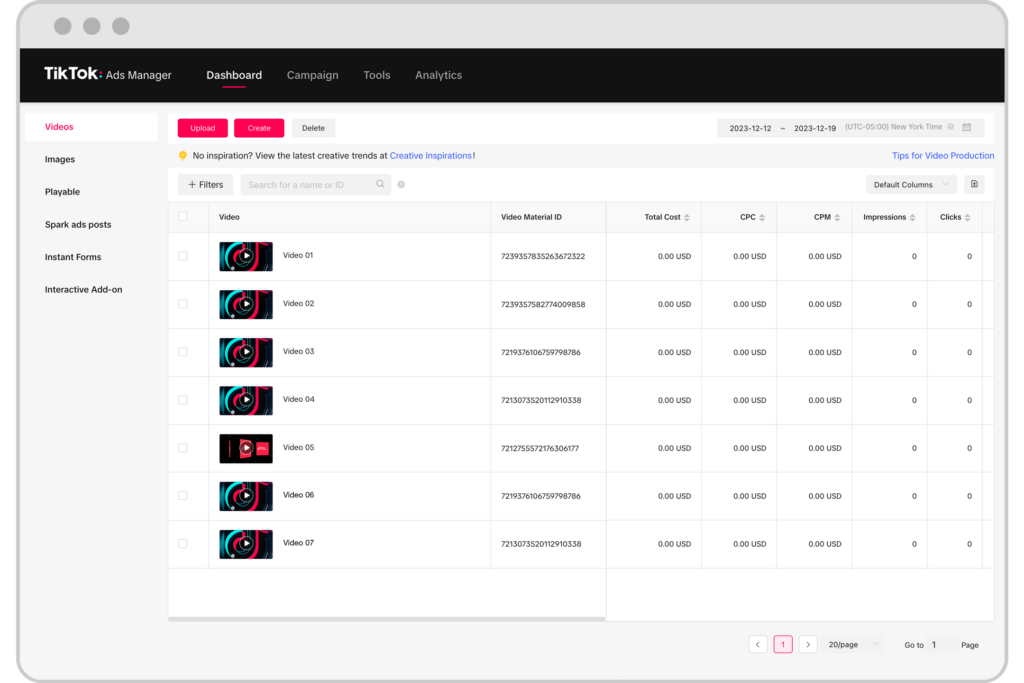
2. Navigating the TikTok Ads Dashboard
- Campaigns:
- Overview of your advertising campaigns
- Monitor campaign status and performance (active, paused, completed)
- Easily adjust budgets, pause, or edit campaigns
- Ad Groups:
- Manage specific audience targeting, budget allocations, and ad schedules
- Essential for precise targeting and performance optimization
- Ads:
- Upload and manage ad creatives
- Review ad approvals, performance insights, and edit ads
- Reports:
- Access detailed analytics
- Track key metrics like Click-Through Rate (CTR), cost per result, and conversions
3. Choosing the Best Campaign Objective
- Traffic: Ideal to drive users to your website or landing page.
- Conversions: Optimize your ads to drive specific actions like purchases or sign-ups.
- App Installs: Encourage users to install your mobile app.
- Video Views: Focus on maximizing views of your video ads for brand awareness.
Reach 1 million users with just $100 spent on Tiktok Ads

4. Creating Effective Ad Groups
- Placement:
- Automatic placements are recommended initially for broader reach.
- Targeting:
- Demographics (age, gender, location)
- Interests and behavior (e.g., fashion, sports, technology)
- Device type and operating system (Android, iOS)
Example: An effective ad group could target females aged 18-30 in the U.S., interested in fashion and lifestyle.
- Budget and Schedule:
- Set daily or lifetime budget (minimum $20/day per ad group).
- Choose campaign duration and optimal timing based on your audience’s activity patterns.
5. Creating High-Performing Ads
- Creative Recommendations:
- Video length: Optimal range is 9-15 seconds.
- Format: Vertical (9:16 ratio) to fit native TikTok viewing.
- Content: Authentic, engaging, user-generated style content performs best.
- Examples: Real-life product usage, influencer testimonials, humorous or trend-based videos.
Example Creative: A 12-second video featuring a popular influencer showcasing your fashion item, ending with a clear CTA: “Shop Now.”
- Ad Copy:
- Concise, engaging, and clear.
- Example: “Discover your new favorite outfit today!”
6. Monitoring and Optimizing Your Ads
- Review Process:
- Typically completed within 24 hours.
- Key Metrics to Track:
- Impressions: Number of views your ads received
- CTR (Click-Through Rate): Effectiveness of ad engagement
- Conversions: Desired actions completed (sales, sign-ups)
- Optimizing Ads:
- Continuously adjust ad groups, budgets, targeting, and creatives based on performance insights.
Optimization Tips for Beginners – Tiktok Ads Management
- A/B Testing: Regularly test multiple creatives, headlines, and CTAs to identify what resonates best.
- Regular Monitoring: Frequent checks (every 1-2 days) ensure timely adjustments.
- Audience Expansion: Gradually broaden your audience based on successful performance data.
Boost your ROI by 150% in 30 days
Share your Concerns and Connect with Tiktok Experts
You want TikTok ads to drive real results, not just chew through your budget. You manage TikTok ads by setting clear goals, picking the right audience, controlling your spend, testing short videos, and tracking everything inside TikTok Ads Manager. If you stick to these basics, your ads stay efficient and way easier to scale.

TikTok moves fast, so your ads have to keep up. Clean account setup, simple campaign structure, and videos that blend in with the feed—these are musts.
Strong visuals and clear messages matter. Quick hooks help your ads earn attention without being annoying or fake.
Management doesn’t end after launch. You need to watch performance, tweak bids, refresh creatives, and pause what’s not working.
Small changes, made often, can save your budget and boost results over time.
Key Takeaways
- Set clear goals, budgets, and audiences inside TikTok Ads Manager
- Use simple, native-style videos and test multiple versions
- Track results often and adjust ads to control costs and improve performance
Getting Started With TikTok Ads Manager

You lay the foundation for every campaign by creating your account and entering billing details. Getting TikTok Ads Manager set up right helps your ads run smoothly and report results accurately.
Creating Your TikTok Ads Manager Account
Start by signing up for TikTok Ads Manager through TikTok for Business. Use a work email or phone, and set a strong password.
TikTok ties this account to your business identity, so double-check your info.
Pick your country, time zone, and currency while setting up. You can’t change these later, so make sure they fit your business location and accounting needs.
Most advertisers use TikTok Business Center to manage access. You can add team members, set permissions, and connect ad accounts all in one spot.
It’s handy if you’ve got more than one person working on ads.
Information you’ll need:
| Item | Why it matters |
|---|---|
| Legal business name | Used for billing and review |
| Industry | Helps TikTok review your account |
| Time zone | Controls reporting and budgets |
Setting Up Billing and Business Information
After you create your account, set up billing before launching ads. TikTok Ads Manager offers prepaid and automatic payments in most regions.
Pick the method that matches your cash flow and control preferences.
Next, enter your business address and tax info, if needed. TikTok uses this for invoices and compliance, so don’t rush it—mistakes can stall or pause campaigns.
Set an initial spending limit. This caps your total spend across campaigns and keeps things under control while you’re testing.
Billing tips:
- Use your company card, not a personal one
- Make sure billing info matches your official docs
- Check invoices in TikTok Ads Manager regularly
Navigating the TikTok Ads Manager Interface
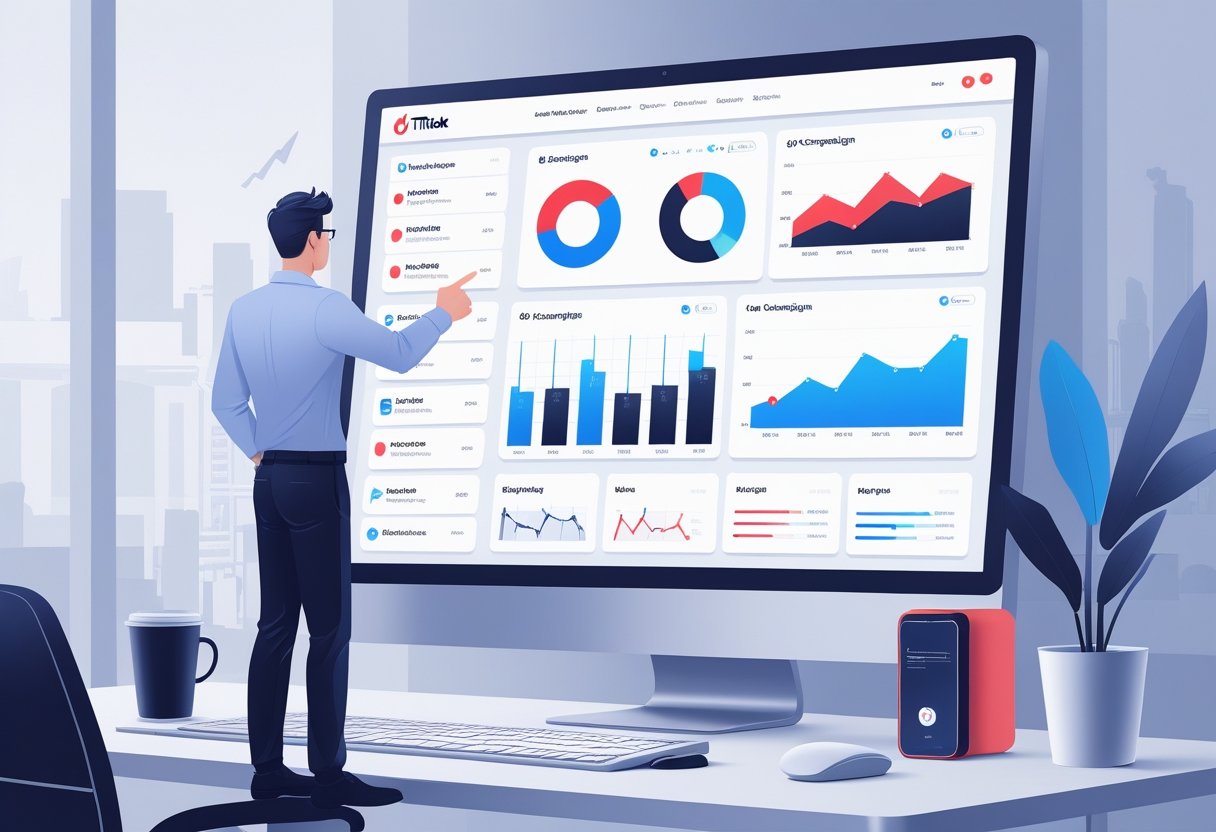
TikTok Ads Manager keeps everything in one place—planning, launching, and tracking ads. You use it to review results, set objectives, and control ad groups with clear tools.
Dashboard Overview
The dashboard greets you with your account’s performance. You’ll see spend, impressions, clicks, and conversions right away.
This data updates often, so you can catch issues before they eat your budget.
Filter by date, campaign, or ad group to zero in on what matters. Charts help you spot trends (or problems) over time.
Metrics to check daily:
| Metric | What it tells you |
|---|---|
| Spend | How much you paid |
| Impressions | How often ads appeared |
| Clicks | How many users tapped |
| Conversions | Actions you track |
Use the dashboard to catch budget spikes, delivery problems, or low engagement early.
Campaign Creation Tool
The campaign creation tool walks you through each step. Start by picking a campaign objective—traffic, video views, conversions, whatever fits.
This choice tells TikTok how to show your ads.
Set a campaign budget next. You can go with daily or lifetime limits. Keep budgets simple, especially when testing.
Name campaigns clearly. Short, descriptive names help when you’re digging through reports later.
Common objectives:
- Awareness: reach
- Consideration: traffic, video views
- Conversions: website actions or sales
Stick with one clear goal per campaign.
Ad Group Management
Ad groups decide who sees your ads and how they run. Each campaign can have several ad groups with different settings.
This lets you test audiences without starting from scratch.
Set targeting here—location, age, interests, behaviors. You can also use custom or lookalike audiences if you’ve got tracking set up.
Ad groups handle budget, schedule, and bids. Tiny tweaks here can change results quickly.
Ad group settings to focus on:
- Placement: TikTok feed usually works best
- Optimization: match it to your campaign goal
- Schedule: don’t let ads run at random hours
Keep it simple. Change one thing at a time so you know what’s working.
Structuring TikTok Ad Campaigns
A clear campaign structure keeps your spend in check and results easy to read. TikTok Ads Manager uses three levels—goal, audience, and creative—all linked together.
Choosing Campaign Objectives
You start every campaign by picking an objective. This tells TikTok what matters most and how to deliver your ads.
Pick the objective that matches your real goal.
Common objectives: Reach, Traffic, Video Views, Leads, App Promotion, and Conversions. For example, if you want sales, go with Conversions, not just Traffic.
Set your budget at the campaign level if you want TikTok to spread spend across ad groups. Stick with one goal per campaign.
Organizing Ad Groups
Ad groups control who sees your ads and how they run. Here’s where you handle targeting, placements, bidding, schedule, and budget.
Create separate ad groups for different audiences—broad targeting vs. interest-based, for example. This makes it easier to compare results and move budget where it works.
Go with automatic placements unless you’ve got a good reason not to. Auto-placement usually lowers costs and speeds up learning.
Set realistic daily budgets so each ad group can get out of the learning phase.
Within each ad group, test multiple ads with the same setup. This way, you see which creative works best without muddying the waters.
Audience Targeting and Bid Strategy
Getting results on TikTok means matching the right audience with the right bid. You decide who sees your ads, how often, and how much you’ll pay.
Demographic and Interest Targeting
TikTok lets you target by age, gender, location, language, and device. Start with demographics that fit your product and cut out groups that don’t convert.
Interest targeting adds another layer. Reach people based on what they watch, who they follow, and what they do.
Focus on interests that show intent, not just broad categories.
Keep the audience size balanced. Too small, and your ads won’t deliver. Too big, and you lose relevance.
Check performance by segment and pause groups with high CPM and low engagement.
Custom and Lookalike Audiences
Custom audiences let you reach people who already know your brand. Build them from website visitors, app users, customer lists, or past ad engagement.
These usually deliver lower CPC because people already recognize you.
Update custom audiences regularly. Fresh data helps TikTok optimize and avoid wasted impressions.
Lookalike audiences help you find more people like your best customers. Use a strong seed—recent buyers or high-value leads.
Start with a 1% lookalike for accuracy, then try broader ranges if you want scale.
Use exclusions to prevent overlap. Exclude converters from prospecting to protect your budget.
Bid Strategies and Budgeting
Your bid strategy decides how TikTok spends your budget. The two main options: Maximum Delivery and Cost Cap.
- Maximum Delivery aims for volume. It spends your whole budget to get the most results, even if costs jump around.
- Cost Cap targets a specific CPA. It keeps costs in check but might limit delivery.
Set daily budgets at least 10x your target CPA to help the algorithm learn. Increase budgets by about 20% at a time to avoid tanking performance.
Pick CPC for traffic and CPM for reach or video views. Match the bid type to your campaign goal.
Optimizing TikTok Ad Creatives
Most TikTok ad success comes from strong creatives. You need the right format, solid testing habits, and content that actually fits in the feed.
Effective Ad Formats
Choose formats based on your goal and how people use TikTok. In-feed ads work best for traffic and conversions—they blend right into the For You feed.
Keep them short, vertical, and focused.
TopView ads boost brand awareness. They show up when users open the app, so hit them with a bold visual and a strong hook in the first two seconds.
Branded hashtag challenges are for reach and participation. They cost more, but get users making content about your brand.
| Format | Best For | Key Tip |
|---|---|---|
| In-feed ads | Conversions | Show value in first 3 seconds |
| TopView ads | Awareness | Use bold visuals |
| Hashtag challenges | Engagement | Keep rules simple |
Creative Optimization Techniques
You’ll want to test creatives often to dodge fatigue. Run a few versions in every ad group, not just one video.
Change big stuff first—hook, voice, setting.
Watch metrics that show creative strength: CTR, video completion rate, and average watch time. Pause ads that lose attention quickly.
Try these simple tweaks:
- Start with motion or a direct question
- Add on-screen text for viewers with sound off
- Match visuals to the offer, not just your brand colors
If you’re spending a lot, refresh creatives every 7–14 days. Small updates help, but sometimes a total swap works best.
Leveraging User-Generated Content
User-generated content (UGC) often beats polished brand videos. It feels real and matches TikTok’s vibe.
Film UGC-style ads with phones, natural light, and casual speech.
Work with micro-influencers to scale UGC. They’re usually affordable and get better engagement in niche groups. Ask them to show real use, not just read a script.
You can also turn organic posts into ads. Spark Ads let you promote existing content, keeping all those likes and comments.
This builds trust and keeps your ads feeling native.
Give creators clear goals, but let them do their thing. Authenticity matters more than perfect branding.
Analyzing and Improving Campaign Performance
You get better results by tracking the right data and acting fast. Watch core metrics, use clean tracking, and test changes one at a time.
Key Performance Metrics
Focus on numbers that show real progress, not just vanity stats. Check click-through rate (CTR), conversion rate, and cost per result.
These tell you if your ads attract the right people and drive action.
| Metric | What It Shows | Why It Matters |
|---|---|---|
| CTR | Ad clicks per impression | Measures creative and message fit |
| Conversion rate | Conversions per click | Shows landing page and offer strength |
| CPA | Cost per conversion | Tracks efficiency and budget use |
| ROAS | Revenue per ad dollar | Measures profit on spend |
Look for trends, not just daily swings. If you see a sudden drop, it’s usually creative fatigue, tracking issues, or audience burnout.
Using TikTok Pixel and Custom Reports
Install the TikTok Pixel to track actions like purchases, sign-ups, and page views. Without it, you’re flying blind.
Make sure the pixel fires on every key event. Test it after site changes.
Use custom reports to focus on what matters. Build views by creative, audience, placement, or time.
Save your best reports for quick analysis. This helps you spot patterns and react fast.
A/B Testing Strategies
A/B testing lets you improve performance without guessing. Test one variable at a time for clear results.
Try testing:
- Creative style or hook
- Call-to-action text
- Audience type
- Landing page version
Run tests long enough to exit learning. Don’t edit ads during a test. Compare by conversion rate and CPA—not just CTR.
Pause losers and scale winners slowly. That keeps results stable as you grow.
Real-World Example: How a Skincare Brand Scaled with TikTok
In 2023, skincare startup GlowTheory worked with Signalytics Ads Management to launch TikTok campaigns. By testing native UGC videos from micro-influencers and using Spark Ads, they saw a 28% lower CPA compared to Facebook.
Signalytics helped them set up custom audiences and lookalikes, and refreshed creatives every 10 days. Their ROAS jumped 2.3x in three months, and they scaled spend by 40% without losing efficiency.
Ad Placement and Cost Management
You decide where your ads show up and how much you’ll pay for each result. Picking the right placements and setting clear cost rules helps you reach the right users and avoid blowing your budget.
Need help making TikTok ads actually work? Signalytics offers full-service TikTok ads management—audience research, creative testing, daily optimization, and clear reporting. Let us handle the heavy lifting so you can focus on running your business.
### Ad Placement Options
TikTok gives you a few choices for where your ads show up inside its apps and partner feeds. You can go with manual placement or let TikTok handle it with automatic placement.
Common placements include:
- For You Feed, which sometimes spills into Profile and Following feeds
- Search Feed and Search Results, which are great if you want to catch people searching for something specific
- TikTok Lite and TikTok for Web, though these are only in certain regions
- Lemon8, also only available in some markets
The For You Feed usually delivers the best reach and engagement. Search placements? They’re better for sales, leads, and traffic. If you’re after lower costs, automatic placement typically helps by spreading your ads around, but manual placement gives you more control.
Honestly, the right choice depends on your campaign goals, creative style, and where your audience hangs out. There’s no one-size-fits-all here.
Curious how brands are adapting? In 2023, Gymshark ran a campaign targeting the For You Feed and saw a 27% lift in engagement compared to their previous placements. On the flip side, a US-based skincare startup, Glowly, found their best cost-per-lead in Search placements—proof that testing matters.
If you’re unsure where to start, Signalytics’ ads management team can help you analyze your data and pick placements that actually move the needle.
### Understanding CPC and CPM
TikTok uses two main pricing models: cost per click (CPC) and cost per mille (CPM). Your choice changes how you measure success and manage your spend.
| Pricing Model | What You Pay For | Best Use Case |
|---|---|---|
| CPC | Each click on your ad | Traffic and lead goals |
| CPM | Every 1,000 impressions | Reach and awareness |
CPC makes sense when you care about clicks more than views. CPM is better when you just want people to see your brand.
TikTok also offers optimized CPM, which tweaks your bids to reach people more likely to convert. It’s not perfect, but it can help if you’re chasing conversions. Match your pricing model to your campaign goal, or you’ll end up wasting budget.
For example, in late 2023, the fashion retailer Princess Polly switched to optimized CPM for a holiday push and saw a 19% bump in checkouts compared to their old CPC setup.
### Cost Control Best Practices
Set clear budgets at both the campaign and ad group level. Daily budgets let you pivot quickly, while lifetime budgets put a hard cap on spend.
Try starting with automatic bidding to gather data. Once you know what’s working, set bid caps to keep things in check.
Pause underperforming ads as soon as you spot them. If you’re testing, only change one variable at a time—like placement or creative—so you know what’s making the difference.
Watch metrics tied to your pricing model, like CPC or CPM. Don’t just look at total spend. Strong creatives usually lower costs by grabbing attention and getting people to act.
Regular check-ins matter. In 2024, a Signalytics client in the fitness niche cut their CPM by 22% just by swapping out stale creatives and pausing low performers.
If you want hands-on help, Signalytics offers ad management services that handle these tweaks for you—saving you time and headaches.
Advanced Tools and Collaboration
Getting strong ad results means using the right tools and giving your team the access they need. TikTok’s business-level features let you centralize assets, control permissions, and keep things moving.
Leveraging TikTok Business Center
TikTok Business Center puts everything in one spot. You connect ad accounts, TikTok pages, pixels, and catalogs under a single business profile.
You can link up multiple brands or regions without sharing personal logins. This is a lifesaver if you run ads for clients or manage more than one product line.
Inside TikTok Business Center, you can:
- Control who owns ad accounts and share them safely.
- Set up pixels and events for tracking.
- Link up with TikTok For Business tools quickly.
A straightforward setup keeps mistakes to a minimum. You keep ownership and still let others work inside your system.
| Feature | Why it matters |
|---|---|
| Central assets | Fewer access headaches |
| Shared permissions | Safer teamwork |
| Scalable setup | Easy to grow |
In 2023, an e-commerce agency used Business Center to manage 12 client accounts and cut onboarding time by half—just by ditching scattered logins.
Role-Based Access and Collaborations
Role-based access keeps your ad account safe. You assign roles based on what each person needs to do.
TikTok supports roles like Admin, Operator, and Analyst. Each role limits what someone can do—like handle billing, edit ads, or just view reports.
This system is handy when you work with agencies, freelancers, or a growing internal team. It helps you avoid mistakes, like someone accidentally changing budgets or deleting campaigns.
Tips for access control:
- Give people only the access they actually need.
- Review roles every quarter.
- Remove access as soon as projects wrap up.
Clear roles mean fewer headaches. Your team works faster, and your ads stay safe.
Signalytics’ ads management service can set this up for you, so you don’t have to stress about permissions or team changes.
Top 22 FAQs About TikTok Ads Manager
{
“@context”: “https://schema.org”,
“@type”: “FAQPage”,
“mainEntity”: [
{
“@type”: “Question”,
“name”: “What is TikTok Ads Manager and why should businesses use it?”,
“acceptedAnswer”: {
“@type”: “Answer”,
“text”: “TikTok Ads Manager is TikTok’s official advertising platform where businesses can create, manage, and measure ad campaigns. It helps you reach TikTok’s highly engaged audience with advanced targeting, optimization controls, and reporting—making it useful for boosting awareness, leads, and sales.”
}
},
{
“@type”: “Question”,
“name”: “How do I set up my first ad campaign in TikTok Ads Manager?”,
“acceptedAnswer”: {
“@type”: “Answer”,
“text”: “Log in to TikTok Ads Manager, click “Create Campaign,” select an objective, and set your budget. Then create an ad group to define targeting, placements, schedule, and bidding. Upload your creative, submit the ads for review, and launch once approved.”
}
},
{
“@type”: “Question”,
“name”: “What is the minimum budget required for TikTok ads?”,
“acceptedAnswer”: {
“@type”: “Answer”,
“text”: “The minimum budget is commonly $50 per day at the campaign level and $20 per day at the ad group level. Minimums can vary by market and account type, but these thresholds are widely used as a baseline for launching and testing campaigns.”
}
},
{
“@type”: “Question”,
“name”: “How can I effectively target my audience on TikTok?”,
“acceptedAnswer”: {
“@type”: “Answer”,
“text”: “Use TikTok’s targeting options like demographics, interests, behaviors, device targeting, and custom audiences. Start broad enough to let the algorithm learn, then narrow based on performance data. Combine targeting with strong creatives to improve relevance and results.”
}
},
{
“@type”: “Question”,
“name”: “Which ad formats work best on TikTok?”,
“acceptedAnswer”: {
“@type”: “Answer”,
“text”: “Short vertical videos typically perform best—especially authentic, user-generated style content and creator/influencer-led ads. Keeping videos around 9–15 seconds, showing the product early, and using clear on-screen text usually improves engagement and conversion rates.”
}
},
{
“@type”: “Question”,
“name”: “How long does it take to get TikTok ads approved?”,
“acceptedAnswer”: {
“@type”: “Answer”,
“text”: “Most TikTok ads are reviewed within 24 hours. During high-traffic periods or if your ad needs additional checks, approval can take longer. To avoid delays, follow TikTok’s creative and policy guidelines and ensure your landing page matches your ad claims.”
}
},
{
“@type”: “Question”,
“name”: “What performance metrics should I track in TikTok Ads Manager?”,
“acceptedAnswer”: {
“@type”: “Answer”,
“text”: “Track impressions, clicks, CTR, CPC, CPM, conversions, cost per conversion, and conversion rate. For eCommerce, also monitor ROAS, AOV, and revenue. The best metric set depends on your campaign objective—traffic, leads, or purchases.”
}
},
{
“@type”: “Question”,
“name”: “How can I track conversions from my TikTok ads?”,
“acceptedAnswer”: {
“@type”: “Answer”,
“text”: “Install the TikTok Pixel on your website and configure events like ViewContent, AddToCart, InitiateCheckout, and Purchase. Once the pixel is active, TikTok can attribute conversions back to your ads, helping you optimize for results instead of just clicks.”
}
},
{
“@type”: “Question”,
“name”: “What’s the difference between TikTok Ads Manager and the ‘Promote’ feature?”,
“acceptedAnswer”: {
“@type”: “Answer”,
“text”: “TikTok Ads Manager is a full ad platform with advanced objectives, targeting, bidding, testing, and reporting. The Promote feature is a simpler in-app boost for existing posts with fewer controls, designed for quick visibility rather than full-funnel campaign management.”
}
},
{
“@type”: “Question”,
“name”: “Can I schedule TikTok ads in advance?”,
“acceptedAnswer”: {
“@type”: “Answer”,
“text”: “Yes. In TikTok Ads Manager you can schedule start and end dates and set specific times for your ad groups. Scheduling helps you align ads with promotions, product launches, or peak buying windows while controlling spend and delivery.”
}
},
{
“@type”: “Question”,
“name”: “How do I optimize underperforming TikTok ads?”,
“acceptedAnswer”: {
“@type”: “Answer”,
“text”: “Check key metrics (CTR, CPC, conversion rate, CPA) to identify the problem. Then test new creatives, refresh hooks and CTAs, adjust targeting, and reallocate budget toward winning ad groups. Systematic A/B testing and creative iteration are usually the fastest levers.”
}
},
{
“@type”: “Question”,
“name”: “How can I optimize ad creatives for TikTok?”,
“acceptedAnswer”: {
“@type”: “Answer”,
“text”: “Use vertical 9:16 videos, hook viewers in the first 1–2 seconds, show the product early, and keep the message simple. Add on-screen text, captions, and a strong CTA. Authentic, creator-style content typically outperforms overly polished ads on TikTok.”
}
},
{
“@type”: “Question”,
“name”: “How do I manage billing and payments in TikTok Ads Manager?”,
“acceptedAnswer”: {
“@type”: “Answer”,
“text”: “Go to the Billing section in TikTok Ads Manager to add a payment method and set up automatic payments or prepay (depending on your account type). Keeping billing details updated helps prevent delivery interruptions and ensures campaigns continue running smoothly.”
}
},
{
“@type”: “Question”,
“name”: “Can I share TikTok Ads Manager access with my team?”,
“acceptedAnswer”: {
“@type”: “Answer”,
“text”: “Yes. TikTok Ads Manager lets you add users and assign role-based permissions so teammates can manage campaigns, creatives, reporting, or billing as needed. This is useful for agencies or internal marketing teams working collaboratively.”
}
},
{
“@type”: “Question”,
“name”: “Where can I get help or support for TikTok Ads Manager?”,
“acceptedAnswer”: {
“@type”: “Answer”,
“text”: “Use the help/support option inside TikTok Ads Manager (often shown as a question mark icon) to access guides, chat support, or submit a support ticket. You can also review TikTok’s policy and setup documentation to troubleshoot common issues.”
}
},
{
“@type”: “Question”,
“name”: “What products are banned or restricted on TikTok ads?”,
“acceptedAnswer”: {
“@type”: “Answer”,
“text”: “TikTok restricts or prohibits categories like alcohol, tobacco/nicotine, illegal drugs, weapons, and unsafe or deceptive health products. Policies also ban ads promoting illegal or unethical activities. Always review TikTok’s current advertising policies for your region before launching.”
}
},
{
“@type”: “Question”,
“name”: “How strict is TikTok about the content of ads?”,
“acceptedAnswer”: {
“@type”: “Answer”,
“text”: “TikTok is strict about ad content and enforces rules against explicit, violent, hateful, offensive, misleading, or exaggerated claims. Ads must be respectful, accurate, and suitable for a broad audience. Your landing page must also match what the ad promises.”
}
},
{
“@type”: “Question”,
“name”: “Can I use popular music or copyrighted sounds in my ads?”,
“acceptedAnswer”: {
“@type”: “Answer”,
“text”: “In most cases, you should use music that is cleared for commercial use. TikTok typically requires advertisers to use approved tracks available inside Ads Manager (such as the Commercial Music Library) or other properly licensed audio to avoid copyright issues.”
}
},
{
“@type”: “Question”,
“name”: “What happens if my ad violates TikTok’s advertising policies?”,
“acceptedAnswer”: {
“@type”: “Answer”,
“text”: “If an ad violates TikTok policies, it may be rejected or removed. Repeated or severe violations can lead to limited delivery, account suspension, or permanent bans. Fix the flagged issues, update the ad/landing page, and resubmit for review.”
}
},
{
“@type”: “Question”,
“name”: “Are there special guidelines for advertising to minors on TikTok?”,
“acceptedAnswer”: {
“@type”: “Answer”,
“text”: “Yes. Advertising to users under 18 generally requires extra care. TikTok policies restrict sensitive topics and inappropriate products, and ad creative must be age-appropriate, responsible, and non-exploitative. Always follow TikTok’s youth and targeting policies for your market.”
}
},
{
“@type”: “Question”,
“name”: “Do I need disclaimers or disclosures in my TikTok ads?”,
“acceptedAnswer”: {
“@type”: “Answer”,
“text”: “Often yes—especially for regulated categories, financial products, health-related claims, and promotions that require conditions. Disclaimers should be clear, readable, and placed where viewers can easily notice them. This reduces rejection risk and builds trust.”
}
},
{
“@type”: “Question”,
“name”: “How clear and direct should my Call-to-Action (CTA) be?”,
“acceptedAnswer”: {
“@type”: “Answer”,
“text”: “Your CTA should be clear and specific, telling users exactly what to do next—such as “Shop Now,” “Download,” or “Sign Up.” A direct CTA improves conversion because it reduces confusion and aligns user expectations with your landing page.”
}
}
]
}
Q1: What is TikTok Ads Manager and why should businesses use it?
A: TikTok Ads Manager is an official advertising tool by TikTok for businesses to create, manage, and track ads effectively, reaching TikTok’s large, engaged user base to boost brand awareness and sales.
Q2: How do I set up my first ad campaign in TikTok Ads Manager?
A: Log in, select “Create Campaign,” choose your campaign objective, set your budget, create ad groups for targeting, and upload your ads. Submit for review to launch.
Q3: What is the minimum budget required for TikTok ads?
A: The minimum is $50/day per campaign and $20/day per ad group, ensuring flexibility for different business sizes.
Q4: How can I effectively target my audience?
A: Use demographic details, interests, behaviors, and device targeting options to precisely reach your ideal audience on TikTok.
Q5: Which ad formats work best on TikTok?
A: Short vertical videos (9-15 seconds), user-generated content, and influencer-driven ads typically perform best.
Q6: How long does it take to get TikTok ads approved?
A: Typically within 24 hours, but it can occasionally take longer during high-traffic periods.
Q7: What performance metrics should I track on TikTok Ads Manager?
A: Important metrics include impressions, clicks, CTR, cost per click (CPC), and conversions.
Q8: How can I track conversions from my TikTok ads?
A: Set up TikTok Pixel on your website to accurately track user actions post-ad click, such as purchases or sign-ups.
Q9: What’s the difference between TikTok Ads Manager and the ‘Promote’ feature?
A: Ads Manager offers advanced targeting and campaign management, while Promote boosts existing TikTok videos simply within the app.
Q10: Can I schedule my ads in advance?
A: Yes, you can schedule exact start and end dates and times for each ad group in your campaign.
Q11: How do I optimize underperforming ads?
A: Analyze metrics, adjust audience targeting, test new creatives, and revise budgets regularly based on insights.
Q12: How can I optimize ad creatives for TikTok?
A: Create short, engaging, vertical videos featuring authentic interactions, clear messaging, and strong calls-to-action.
Q13: How do I manage billing and payments?
A: Set up automatic payments through the billing settings to ensure seamless transactions and continuous ad running.
Q14: Can I share TikTok Ads Manager access with my team?
A: Yes, you can add multiple users with specific access levels via account settings for team collaboration.
Q15: Where can I get help or support for TikTok Ads Manager?
A: Use the built-in support feature by clicking the question mark icon to chat or submit a ticket directly within Ads Manager.
Q16: What products are banned or restricted on TikTok ads?
Answer: Products such as alcohol, drugs, tobacco, weapons, and unsafe health products are prohibited on TikTok. Ads promoting illegal or unethical activities are also banned.
Q17: How strict is TikTok about the content of ads?
Answer: TikTok ads must not include explicit, violent, offensive, misleading, or exaggerated claims. All ads must be respectful, truthful, and suitable for a broad audience.
Q18: Can I use popular music or copyrighted sounds in my ads?
Answer: No. TikTok requires you to use approved or royalty-free music and sounds to avoid copyright issues. Always use music from TikTok’s Ads Manager library or other licensed sources.
Q19: What happens if my ad violates TikTok’s advertising policies?
Answer: TikTok will reject ads violating policies. Continuous violations may result in suspension or permanent ban of your ad account.
Q20: Are there special guidelines for advertising to minors on TikTok?
Answer: Yes. Ads aimed at users under 18 must avoid sensitive topics and inappropriate products. Content must be age-appropriate, responsible, and non-exploitative.
Q21: Do I need disclaimers or disclosures in my TikTok ads?
Answer: Yes. For ads promoting health supplements, financial products, or special offers, clearly visible disclaimers and disclosures are required to avoid misleading viewers.
Q22: How clear and direct should my Call-to-Action (CTA) be?
Answer: CTAs must be clear and explicit, directing the user exactly what action to take. Common examples include “Buy Now,” “Download App,” or “Sign Up.”
Utilize this comprehensive guide to navigate TikTok Ads Manager effectively and achieve significant advertising results in 2025.