

One good photo shoot can carry a brand further than most teams realize. With the right AI workflow, a single skincare bottle, sneaker, or kitchen gadget captured in one session can become 50 distinct ad variations covering different hooks, backgrounds, and platforms, without booking a second shoot.
Turning one product shoot into 50 ad variations works by combining a planned shot list, AI image and video generation tools that preserve product accuracy, and a structured testing system that swaps one variable at a time. The product stays locked. The scene, hook, and format change around it. Brands using this approach skip the cost of reshooting for every new campaign angle, seasonal push, or platform requirement.

This matters because creative fatigue hits fast. Shoppers scroll past the same ad after a handful of views, and platforms reward accounts that keep rotating fresh visuals. A brand that can turn one shoot into dozens of tested variations has a real edge over one still waiting on the next photographer booking.
Build a Production Matrix Before Generating Anything
A production matrix is a simple grid that maps every ad variation before any image gets generated. It prevents the common mistake of generating random images and hoping something usable comes out. Planning the matrix first means every AI output has a defined role: a visual treatment, a hook, a call-to-action, and a placement.

Map Five Visual Treatments, Five Hooks, and Two CTAs to 50 Combinations
Five visual treatments (studio, lifestyle, seasonal, bundle, and close-up) multiplied by five distinct messaging hooks and two calls-to-action gives exactly 50 combinations. Each row in the matrix should list the treatment, the hook angle, and the CTA so nothing gets duplicated by accident. This structure also makes it obvious which combinations matter for testing audience segments, since a problem-solution hook might pair better with a lifestyle scene than a plain studio shot.
Separate Creative Concepts, Controlled Variations, and Resized Exports
A concept is a genuinely new idea; a variation changes one element within an approved concept; a resize just adapts the file for a new placement. Mixing these three up causes teams to end up with 50 ads that all look like minor edits of each other instead of a real test. Keep concepts to a handful, generate variations from the ones worth testing, then resize only after a version earns its place.
Define the Audience, Offer, and Conversion Goal in a Creative Brief
A creative brief anchors every output to a business goal instead of visual guesswork. It should state the audience segment, the specific offer or promotion, and whether the ad’s job is clicks, conversions, or brand awareness. Writing this down before prompting keeps the creative direction consistent across all 50 outputs, which matters more than any single clever image.
Which Assets Should You Keep From the Product Shoot?
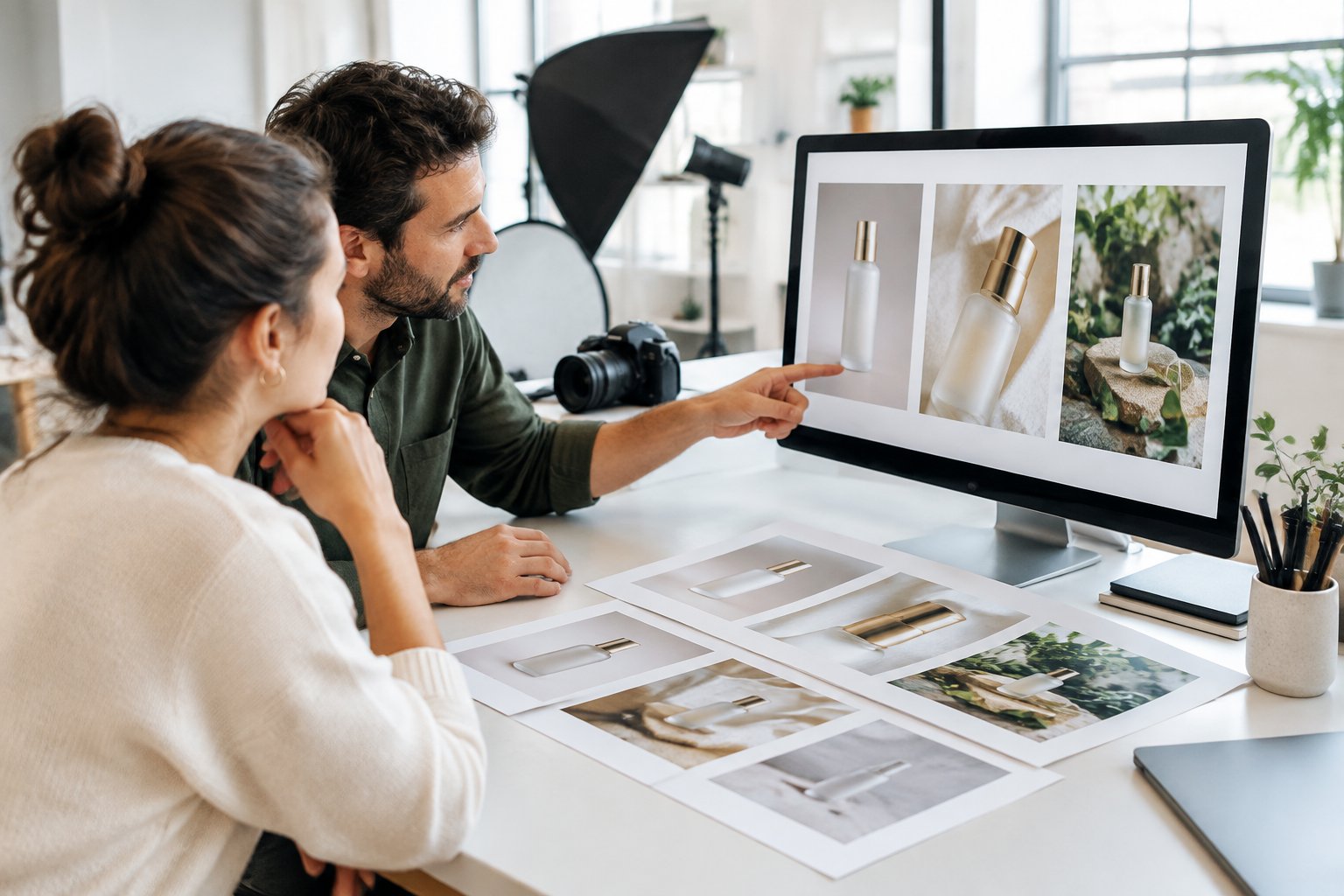
Not every photo from a shoot deserves a second life as an ad. The strongest candidates are sharp, well-lit, and shot against a clean background so AI tools can isolate the product without guessing at its edges.
Select Sharp Product Photos and Reusable Video Clips
Choose the images with the clearest focus on the label, logo, and texture, since AI models depend on that detail to keep the product accurate in new scenes. Video clips that show the product rotating, opening, or being used also give AI video tools a stronger reference than a still photo alone. For brands sourcing from a professional session, our guide to amazon product photography covers what a shot list should include to support this kind of reuse later.
Prepare Cutouts and Reference Angles Without Altering the Product
Background removal creates a clean cutout that AI tools can drop into new scenes without distorting the product’s shape or color. Keep at least two or three reference angles (straight-on, three-quarter, and a close-up of the label) so the AI has enough information to keep proportions correct across treatments. Skipping this step is the most common reason AI-generated ads end up with warped bottles or smudged logos.
Assemble a Brand Kit With Approved Logos, Fonts, Colors, and Claims
A brand kit with approved logos, fonts, color codes, and pre-cleared product claims keeps every one of the 50 variations on-brand without a designer reviewing each file by hand. This matters for brand consistency across a batch this size, since even small drifts in color or typography become obvious when 50 ads run side by side. A documented kit also speeds up review, because anyone checking the batch can compare against a fixed reference instead of relying on memory.
Generate Visual Variations While Preserving Product Accuracy
AI image and video tools can multiply one product photo into dozens of scenes, but only if the tool keeps the product’s shape, label, and color locked while it changes everything around it. The goal is on-brand visuals that still look like the real SKU, not a reinterpretation of it.
Choose Tools for Reference Fidelity, Batch Control, and Editable Outputs
Look for ai ad platforms that accept a reference image and hold the product steady across a batch, rather than regenerating it from scratch each time. Tools such as Myup, Nano Banana, Seedream, and Adstellar are built around this kind of reference-locked generation, letting a brand feed in one packshot and receive multiple scenes back with the product intact. Editable outputs matter too, since a batch of 50 image ads and video ads will always need small fixes before launch.
Use a Reusable Prompt to Vary Scenes, Lighting, and Composition
A reusable prompt template locks in the product reference and brand style, then swaps only the scene, lighting, and composition for each new image. A structure like “preserve shape, color, and logo; change background to [scene]; lighting [mood]; composition [angle]” keeps every output comparable while still producing real variety. This approach also makes it easy to generate something like a minimal vibrant product advertising poster alongside a softer lifestyle scene from the same source image.
Animate Approved Stills Into Short Video Sequences
Once a still image direction is approved, AI video tools can turn it into a short sequence with camera movement, transitions, or a simple demo motion. This gives a brand video ads without a second shoot, built entirely from stills that already passed review. Our breakdown on tips for amazon product video optimization covers how to keep these short clips effective once they’re live.
Add Hooks and Adapt Each Creative to Its Placement
A strong visual still needs the right words and the right shape for its platform. This stage pairs each approved image with a messaging angle, then reframes it for the specific dimensions and tone each placement expects.
Write Benefit-Led Hooks for Distinct Messaging Angles
Each hook should lead with a different benefit or pain point so the batch actually tests something meaningful. A skincare brand might test “calms redness overnight,” “works for sensitive skin,” and “dermatologist-developed formula” as three separate messaging angles against the same visual. Writing hooks this way avoids the trap of producing 50 ads that all make the same promise in slightly different words.
Combine Approved Visuals, Ad Copy, and CTAs Into the Planned Batch
Pull only from the visuals, ad copy, and CTAs that passed the earlier review steps, matching them according to the production matrix built at the start. This stage is assembly, not creative decision-making, since every choice should already trace back to a row in the matrix. Keeping this mechanical reduces the chance of an off-brand combination slipping into the batch.
Reframe for Meta, TikTok, Google, and Eligible Amazon Placements
Each platform expects a different shape and tone: square or vertical crops for Meta and TikTok, banner-friendly layouts for Google, and clean, claim-compliant imagery for eligible Amazon placements. Our comparison of ai creative for meta vs tiktok vs amazon and what changes covers how creative direction shifts between these channels. TikTok in particular rewards a rougher, less polished feel, which our guide on how to create tiktok ad creatives that convert explains in more detail.
Export With Placement-Specific Safe Zones and Traceable File Names
Respect each platform’s safe zones for text and logos so nothing gets cropped out by an app’s UI elements. File names should trace back to the matrix row (treatment, hook, CTA, and platform) so performance data can be matched to the right variable later without guesswork.
Review the Batch and Test for Business Results
A batch of 50 ad creative variations is only useful once it passes a compliance check and gets tested against real numbers. Skipping review to launch faster usually costs more time later in rejected ads and wasted spend.
Check Packaging, Motion, Text, Usage Rights, and Ad Policy Compliance
Every variation needs a check against the real product packaging, since AI tools occasionally invent label text or distort a logo under certain prompts. Review motion in any video ads for unnatural warping, confirm usage rights on any licensed assets, and run each ad against the platform’s ad policy before spending budget on it. Our guide on how to disclose AI generated ads and why it matters covers disclosure requirements that apply to this stage.
Launch Budget-Appropriate Batches and Isolate Variables in Follow-Up Tests
Launch only as many variations as the budget can fairly test, since spreading a small budget across 50 ads at once means none of them collect enough data to read. A more practical approach launches a smaller first wave, then isolates one variable (hook, visual, or CTA) in each follow-up round based on what the first wave shows. Our framework on ai ad creative and how to scale creative testing walks through this staged approach in more depth.
Evaluate CTR Alongside Conversion Rate, CPA, ROAS, and Amazon ACoS
CTR shows what stops the scroll, but it does not tell the full story on its own. A high-CTR ad with weak conversion rate or poor ROAS is not a winning ad, so every result needs to be read against CPA, ROAS, and, for Amazon campaigns, ACoS. Our resource on measuring ROI covers how to weigh these metrics together instead of in isolation.
Refresh Fatigued Creatives Using Evidence From Winning Ads
Creative fatigue shows up as a slow decline in CTR and rising CPA on an ad that once performed well. Once that pattern appears, pull the winning elements (the hook, the visual style, or the CTA) from ads still performing and generate fresh variations around them instead of starting the whole matrix over.
Make Every Product Shoot a Reusable Advertising Asset
One well-planned product shoot can fund months of ad creative production when the matrix, brand kit, and AI workflow are built to support reuse. The shoot itself is only the raw material. The real output comes from treating that material as a system: a locked product reference, a matrix of hooks and treatments, AI tools that respect product accuracy, and a testing process that turns results into the next round of creative.
Brands that build this once rarely go back to booking a new shoot for every campaign refresh. The same cutouts, reference angles, and brand kit keep producing new ad creative variations for seasonal pushes, new audience segments, and new platforms, long after the original shoot wrapped. For brands that want this workflow built and managed for them, Signalytics can run the full process from shot planning through AI generation and placement testing.
Frequently Asked Questions
Can I create 50 ad variations from a single product photo?
Yes, as long as the photo is sharp, well-lit, and shows the product clearly enough for an AI tool to preserve its shape, color, and label. A production matrix combining five visual treatments, five hooks, and two CTAs produces exactly 50 combinations from that one source image.
How do I keep AI from changing my product label or packaging?
Use a reference-locked AI tool and feed it multiple angles of the real product, including a close-up of the label, so it has enough detail to preserve. Every output should go through a review step that checks packaging accuracy before anything launches, since even reliable tools occasionally distort small text or logos.
Can the same product shoot supply both image ads and video ads?
Yes, approved still images can be animated into short video sequences with camera movement or simple demo motion, giving a brand video ads without a second shoot. The same reference photos that produce image ads also work as the base material for AI video generation.
How much does it cost to generate and review 50 AI ad variations?
Costs vary by the AI tools chosen and how much human review time goes into checking packaging accuracy and ad policy compliance. The larger cost driver is usually review and testing time rather than generation itself, since launching an untested batch wastes more budget than the generation step saves.
Should I launch all 50 variations at once?
No, launching all 50 at once spreads a limited budget too thin for any single ad to collect enough data to read clearly. A smaller first wave, followed by rounds that isolate one variable at a time based on early results, gives a clearer picture of what actually drives conversions.