

Walmart Seller Center is the main dashboard where you manage your entire selling operation on Walmart Marketplace. This platform gives you access to millions of potential customers who shop on Walmart.com and the mobile app. Whether you’re just starting out or looking to grow your business, understanding how to use Seller Center is essential for success.
Seller Center lets you handle everything from adding products and processing orders to tracking performance and managing payments all in one place. The platform includes tools for catalog management, shipping options, and reporting that help you run your business smoothly. You can also access resources like guides, training videos, and seller support to help you along the way.
Getting started requires setting up an account, verifying your business information, and completing the onboarding process. Once approved, you’ll gain access to features like Walmart Fulfillment Services and advertising tools that can help expand your reach. Learning how to navigate Seller Center will save you time and help you make better decisions for your business.
Key Takeaways
- Walmart Seller Center is your central hub for managing products, orders, and business operations on Walmart Marketplace
- You need to complete account registration and business verification before you can start selling to millions of Walmart customers
- The platform offers tools for inventory management, order fulfillment, payment tracking, and access to growth resources
What Is Walmart Seller Center?
Walmart Seller Center is the main platform where you manage your entire business on Walmart Marketplace. It gives you the tools to list products, track orders, monitor inventory, and analyze your store’s performance.
Key Features for Marketplace Sellers
Walmart Seller Center provides everything you need to run your marketplace business. You can upload and manage your product catalog through the platform’s item setup tools. The system lets you choose your fulfillment method and add inventory as needed.
The platform includes order management features that help you track shipments and process customer purchases. You can monitor your performance metrics to see how your store is doing. Seller Center also offers analytics tools that show you sales data and help you make better business decisions.
You’ll find the Listing Quality Score tool inside Seller Center. This feature helps you improve your product visibility on the marketplace. The platform also includes shipping preference settings where you control how you deliver orders to customers.
Why 80% of Amazon Sellers Waste Ad Spend
Walmart vs. Other Marketplaces
Walmart Marketplace operates differently from other platforms in several ways. The marketplace connects you to Walmart’s large customer base without the same level of competition you’d find on other sites. Walmart has stricter approval requirements for sellers compared to some competitors.
The fee structure at Walmart differs from other marketplaces. You don’t pay monthly subscription fees to sell on Walmart. Instead, you pay referral fees based on your sales.
Walmart focuses on quality over quantity when it comes to sellers. The platform reviews applications carefully before approving new sellers.
User Interface Overview
The Seller Center dashboard puts all your main tools in one location. You’ll see navigation organized into clear sections for different tasks. The interface includes areas for item management, order tracking, and performance monitoring.
You can access Marketplace Learn directly from Seller Center. This resource library contains guides, FAQs, and training materials. The platform also links to the Sell Better Blog, which provides news and updates about the marketplace.
The mobile Walmart Seller app extends Seller Center’s features to your phone. You can manage basic tasks and check notifications while away from your computer.
Account Registration and Onboarding
Getting your Walmart Seller Center account set up involves submitting your business information, completing verification steps, and configuring your account settings. The process requires specific documentation and varies depending on whether you’re a domestic or international seller.
Creating a Seller Center Account
You’ll start by visiting the Walmart Marketplace website and clicking the apply button to begin your application. The system will ask you to provide your business details including your legal business name, tax identification number, and contact information.
You need to have a registered business entity to qualify. Walmart does not accept individual sellers without a business structure.
During account setup, you’ll create login credentials and provide details about the products you plan to sell. The application requires you to specify your business type, whether that’s an LLC, corporation, partnership, or sole proprietorship.
You’ll also need to enter your business license number and upload supporting documents. These documents typically include your business registration certificate, tax documents, and proof of address for your business location.
10 Steps To Create Amazon Storefront: Prerequisites And Costs Explained
Onboarding Requirements
After submitting your application, Walmart reviews your information and conducts business verification. This process typically takes a few days to several weeks depending on how complete your documentation is.
Required information includes:
- W-9 or W-8 tax form
- Bank account details for payments
- Product categories you want to sell in
- Business insurance documentation (for certain categories)
Once approved, you’ll access Seller Center to complete the onboarding process. You’ll set up your shipping methods, return policies, and payment preferences. The platform guides you through configuring your fulfillment settings and connecting any third-party tools or solution providers you plan to use.
International Seller Considerations
International sellers face additional requirements when creating a Walmart Seller Center account. You must have a U.S. business address and a U.S. bank account to receive payments.
Some international sellers establish a U.S. business entity through services that provide registered agent addresses. You’ll need to submit a W-8 form instead of a W-9 and provide documentation proving your business registration in your home country.
International applicants often experience longer verification times. Walmart may request additional documentation to verify your business legitimacy and your ability to fulfill orders to U.S. customers within required timeframes.
You’re responsible for understanding U.S. import regulations, sales tax requirements, and consumer protection laws that apply to your products.
Business Verification & Compliance
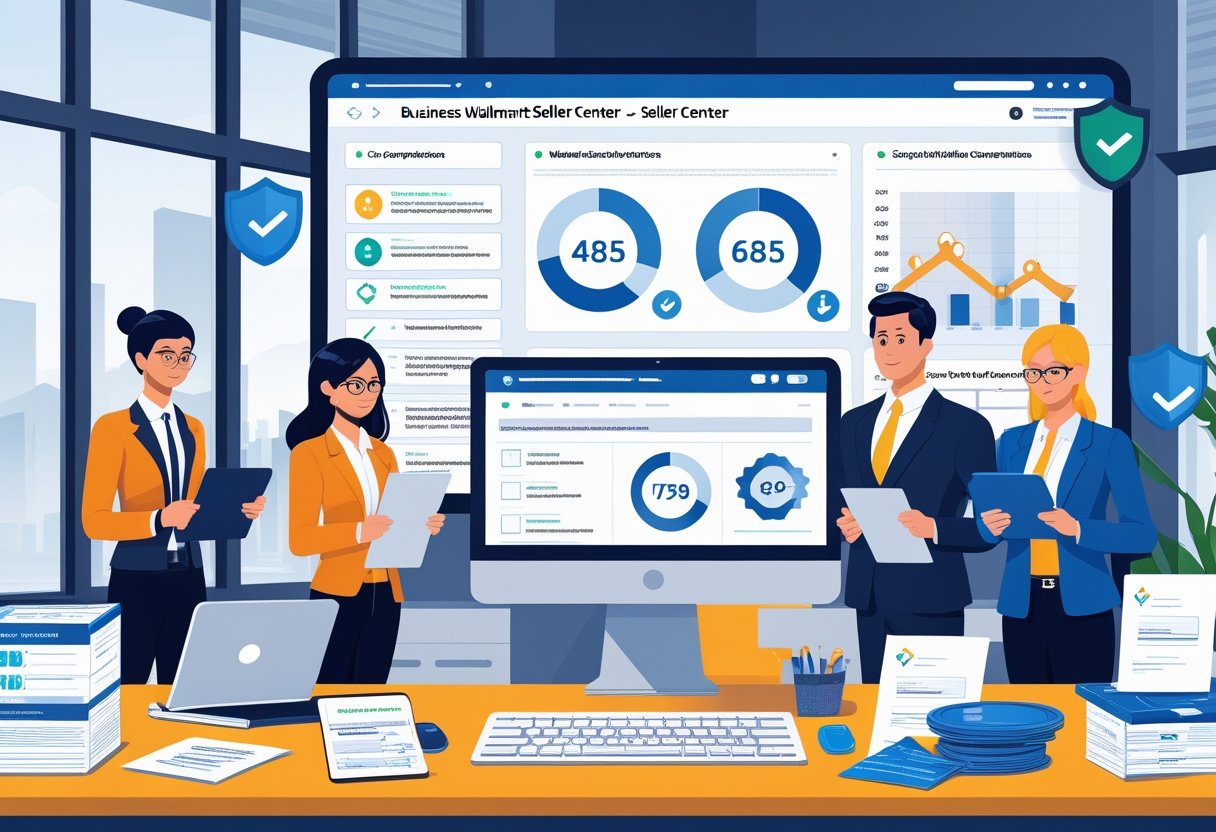
Walmart requires sellers to verify their business information annually and maintain accurate records in Seller Center. You need to provide valid business details, documentation, and respond to verification requests to keep your account active.
Submitting Business Details
You must provide accurate business information when setting up your Walmart Marketplace account. This includes your business name, physical address, phone number, and email address. Walmart uses this information to comply with the Federal INFORM Consumers Act and similar state laws.
To submit or update your business details, go to the Seller Certification page in Seller Center. Click on Account Settings and select Seller Certification under Administrator Options. Review all information carefully before submission.
Your customer service contact information requires special attention. Enter your phone number and email address correctly to avoid verification delays. If you use a third-party supplier for items sold on Walmart.com, you must email [email protected] with “Third Party Seller Notice” as the subject line. Include the name and contact information of the third-party seller in your message.
What Is a LPN Number on Amazon? Complete Seller Guide
Business License Number and Documentation
Walmart may request your business license number and supporting documentation during the verification process. You need to have these documents ready for submission when requested. The specific requirements vary based on your business type and location.
Keep your tax identification documents, business registration certificates, and any applicable professional licenses accessible. Walmart may also require testing or compliance documents for regulated products like electronics or health-related items. Store digital copies of all documents in an organized system for quick retrieval.
If Walmart cannot verify your submitted information, you will receive a notification through Seller Center and email. Contact support immediately through the Help button in Seller Center if you need to correct any business information.
Verification Timeline and Status
The verification process begins once you submit your certification through Seller Center. For U.S. and China-based sellers, Walmart offers phone verification through a one-time passcode (OTP) sent via text message. Landline and VOIP numbers cannot receive OTP codes and require alternative verification methods.
You can check your certification status anytime by visiting the Seller Certification page in Seller Center. Walmart will notify you through Seller Center and email if additional information is needed. You must respond to all verification inquiries promptly. Failure to complete verification can result in account suspension.
If you previously faced penalties for non-certification, your account reinstatement begins after successful verification. Check Seller Center regularly for policy updates since verification requirements can change based on new regulations.
Store Setup and Catalog Management
Walmart Seller Center provides multiple ways to build and manage your product catalog, from spreadsheet uploads to API integrations. The setup method you choose depends on your catalog size, technical resources, and whether you sell on other marketplaces.
Catalog Creation Methods
You have several options for setting up your catalog after completing the 3-step onboarding process. Upload a spreadsheet if you already sell on another supported marketplace—this lets you import your existing catalog using an Excel .xlsx file under 5MB. Items automatically convert to Walmart’s format.
Solution providers offer full-service integration for sellers who want help managing catalog management across multiple platforms. These partners handle item setup, inventory, and pricing on your behalf.
API integration works best if you have an in-house development team. The Marketplace API lets you manage items, orders, prices, and inventory programmatically. Walmart provides an API status checker, sandbox testing environment, and complete documentation.
Set up items by match allows you to leverage existing product data from Walmart’s catalog. You search using a UPC, GTIN, ISBN, or Walmart Product ID to find matching items and use the available data instead of creating listings from scratch.
Bulk Upload vs. Single Item Setup
Bulk Upload suits sellers with large catalogs who need Walmart as their primary or only marketplace. You download Walmart’s Full Item Spec template, complete it with your product information, and upload the file through Seller Center. This method lets you create new items and variant groups efficiently. You can select Walmart Fulfilled during setup to use Walmart Fulfillment Services for eligible products.
Single Item Setup makes sense for smaller catalogs or when you need to add products individually. The Single Item Create tool in Seller Center guides you through entering product details one at a time. This approach gives you more control over each listing but takes longer for large catalogs.
Optimizing Product Listings
Start by uploading your top-selling products first if you’re new to the platform. Choose the correct category and subcategory to ensure your items display all relevant attributes that customers search for.
Price competitively to align with Walmart’s Every Day Low Price promise. Use the Repricer tool to keep your offers competitive against other sellers.
Include complete product information beyond the minimum required fields (GTIN, price, and shipping weight). The more details you provide, the better your listings perform in search results. Follow Walmart’s product listing requirements and avoid items listed in the Prohibited Products Policy.
Monitor your Activity Feed regularly to track upload status and troubleshoot issues quickly. This helps you maximize your catalog potential and avoid listing errors that could delay your sales.
Order Management and Fulfillment Options

Walmart Seller Center provides you with multiple tools to manage orders and choose fulfillment methods that match your business needs. You can handle everything from order processing to shipping and returns through a single platform.
Order Processing in Seller Center
Seller Center gives you real-time access to all your order information in one dashboard. You can track order status, view shipping updates, and confirm deliveries as they happen. The platform displays incoming orders immediately when customers make purchases on Walmart.com.
You’ll find order management tools that let you process shipments quickly and keep customers informed. The system shows you key details like customer addresses, purchased items, and payment status. You can also access reporting features that help you monitor your sales performance and identify trends.
The dashboard organizes orders by status, making it easy to see what needs your attention first. You can filter orders by date, fulfillment method, or other criteria to stay organized during busy periods.
Shipping Methods Overview
You have three main fulfillment options on Walmart Marketplace:
Seller-Fulfilled: You store inventory, pack orders, and ship items directly to customers using your own resources and shipping carriers.
Walmart Fulfillment Services (WFS): Walmart handles storage, picking, packing, shipping, and customer service for your items. Your products get “Fulfilled by Walmart” and “2-day shipping” tags that increase visibility. WFS charges no signup or monthly subscription fees, with costs based only on storage and fulfillment per item.
Third-Party Fulfillment: You work with an external logistics provider to manage your inventory and shipping operations.
WFS accepts items up to 500 pounds and maximum dimensions of 120″ x 105″ x 93″. The program doesn’t require minimum or maximum inventory levels, so you can adjust as your business grows.
Handling Returns and Customer Service
When you use seller fulfillment, you manage customer service and process returns yourself according to Walmart’s policies. You need to respond to customer inquiries promptly and handle return requests through Seller Center.
WFS takes care of all customer service and returns for Walmart-fulfilled orders. The program includes access to Walmart’s Free & Easy Returns, which lets customers return items at Walmart stores or by mail. This removes the burden of managing returns from your daily operations.
You set your return preferences in the WFS section of Seller Center during setup. The system tracks all return activity and updates your inventory automatically when items come back to fulfillment centers.
Walmart Fulfillment Services (WFS)
Walmart Fulfillment Services lets you store products in Walmart’s warehouses while they handle picking, packing, shipping, and customer returns. Your listings get priority placement in search results, and customers receive fast delivery without you managing logistics.
How WFS Works
You start by applying to the WFS program and meeting Walmart’s eligibility requirements. Once approved, you ship your inventory to designated Walmart fulfillment centers where it gets stored until orders come in.
When a customer buys your product on Walmart.com, WFS staff pick the item from the warehouse shelf, pack it in neutral packaging, and ship it directly to the buyer. The system handles tracking updates automatically. You don’t print labels or visit the post office.
WFS manages these tasks for you:
- Inventory storage at fulfillment centers
- Order picking and packing
- Shipping and delivery tracking
- Customer service inquiries
- Returns processing
You pay fulfillment fees based on product size and weight, plus monthly storage fees for warehouse space. Long-term storage charges apply if inventory sits unsold for extended periods.
TikTok Shop Seller: Essential Guide to Succeed as a Seller
Integrating WFS With Your Store
Setting up WFS requires access to your Walmart Seller Center account. You’ll create WFS-enabled listings and designate which products you want fulfilled through the program. The integration connects your inventory levels across Walmart’s system.
You send shipments to specific fulfillment centers based on Walmart’s instructions. Each shipment needs proper labeling and documentation to ensure products get received and cataloged correctly. Your seller dashboard shows real-time inventory levels and fulfillment status.
Monitor your inventory turnover regularly to avoid excess storage fees. Stock only what you can sell within a reasonable timeframe. The system alerts you when inventory runs low, but you’re responsible for sending replenishment shipments before stockouts occur.
WFS Benefits for Marketplace Sellers
Your products become eligible for fast 1-2 day shipping, which increases conversion rates and buy box placement. Walmart’s search algorithm favors WFS listings, giving you better visibility than seller-fulfilled items.
Customers trust the Walmart fulfillment network. They know orders will arrive quickly with reliable tracking and easy returns through Walmart’s free returns program. This builds confidence in your brand without extra effort on your part.
You avoid warehousing costs and shipping logistics. WFS handles customer service questions about delivery and returns, saving you time. Your brand appears on all packaging and communications, maintaining your identity throughout the fulfillment process. The service scales with your business—you can add new products or increase inventory as sales grow.
Payments, Taxes, and Reporting
Walmart Marketplace operates on a biweekly payment schedule and requires proper setup of both your payout information and tax profile. You’ll need to configure payment details through a banking provider and maintain accurate tax documentation to receive settlements without delays.
Payment Setup and Payout Providers
You need to set up your payout information in Seller Center before receiving any payments. This involves creating an account with Walmart’s banking provider, which processes fund transfers to your business account.
Walmart typically pays sellers biweekly for orders you’ve confirmed as shipped during that payment period. Your balance appears in the Payments dashboard 24-48 hours after you update an order to Shipped status. You can view your outstanding balance for the current pay cycle and see the scheduled settlement date.

The Payments dashboard shows a summary of your payment activity per settlement cycle. You can download a Payments Report (also called a Reconciliation Report) that provides details like shipping charges and commission rates. The report comes in two versions: a summarized “new” version and a detailed “legacy” version.
Understanding Taxes & Payments
Your tax profile must remain current to avoid payment holds or compliance issues. You need administrator account access to update tax information in Seller Center, including your tax classification, Employer Identification Number (EIN), country of incorporation, and business address.
The Payments Report breaks down each transaction into specific categories:
- Gross Sales Revenue: Total item sales paid to you, excluding shipping
- Commission from Sale: Amount paid to Walmart based on your contract category
- Total NET Tax Collected: Tax amounts paid to you for item tax and shipping tax
- Refunded Retail Sales: Total sales refunded to customers
You can search specific transactions by Purchase Order number or Customer Order number for orders created in the past 90 days. Each transaction shows the net revenue you earned after factoring in sales, refunds, and disputes.
Policies, Standards, and Growth Opportunities
Walmart Seller Center requires sellers to follow strict policies and maintain strong performance metrics while providing various tools and programs to help businesses expand their reach and increase sales.
Walmart Marketplace Policies
You must understand and follow all Walmart Marketplace policies to maintain your selling privileges. Walmart divides these policies into two main categories: seller agreement policies and additional rules and guidelines. Your failure to comply with these requirements can result in account suspension or complete termination from the platform.
You need to provide accurate and current business information at all times. Walmart prohibits you from operating multiple seller accounts under the same ownership. You must also comply with the prohibited products policy and marketplace trust standards.
Key policy areas include:
- Business information and tax collection requirements
- Product listing standards and catalog management rules
- Shipping and fulfillment obligations
- Order management and return policies
- Liability insurance requirements
You are responsible for staying aware of policy updates. Walmart provides these policies in your Seller Center, and you should bookmark the policies page for easy reference.
Performance Standards for Sellers
Your account performance determines your success and standing on Walmart Marketplace. Walmart monitors specific metrics to ensure you deliver a positive customer experience. These standards measure how well you fulfill orders, respond to customers, and maintain product quality.
You must meet delivery speed requirements and maintain low cancellation rates. Your order defect rate and customer service response times directly impact your seller rating. Walmart expects you to ship orders on time and handle returns according to their guidelines.
Exploring Growth Opportunities
Walmart offers multiple programs and tools to help you expand your business. The Pro Seller Program provides enhanced benefits for high-performing sellers. You can access new AI-powered tools introduced at Walmart’s Seller Summit to operate more efficiently and reach more customers.
You have access to international capital offers through Walmart’s provider partnerships. These opportunities help you scale your operations without additional financial strain. Walmart also provides advertising options to increase your product visibility.
Available growth tools include:
- AI-powered listing optimization
- Faster payout options
- Walmart Fulfillment Services (WFS)
- Enhanced product attribute updates for better searchability
- Exclusive promotional opportunities
You can leverage these resources to compete more effectively in the marketplace. Your ability to utilize these tools and maintain compliance directly impacts your long-term success on the platform.
Frequently Asked Questions
Getting started on Walmart’s marketplace involves understanding registration requirements, fees, listing standards, fulfillment options, order management processes, and performance tracking tools.
How can I register my business on the Walmart Seller Center?
You need to apply through Walmart’s seller registration portal with your business information. Walmart does not accept sole proprietorships (except in India), non-profit organizations, or Hindu Undivided Family (HUF) business types on the U.S. Marketplace.
During the application process, Walmart verifies the information you provide about your business. If your application gets held up, you should review your business details for accuracy. You can contact Support through the Help button in the Seller Center menu bar if you need to correct information on your application.
What are the fees associated with selling on Walmart’s online marketplace?
Walmart charges referral fees based on product categories, which typically range from 6% to 20% of the sale price. These fees cover the cost of using the marketplace platform and accessing millions of Walmart.com shoppers.
You won’t pay monthly subscription fees to maintain your seller account. Walmart only collects fees when you make a sale.
What are the requirements for product listings on the Walmart Seller Center?
Your product listings must include accurate titles, descriptions, images, and specifications that meet Walmart’s standards. You can access the Listing Quality Score tool in Seller Center to evaluate and improve your product visibility.
All products need valid UPC codes or other approved product identifiers. Your listings must comply with Walmart’s prohibited items policy and quality guidelines.
You upload and manage your product information directly through the Seller Center interface. The platform provides tools to help you optimize your listings for better performance.
How does the Walmart fulfillment service work for sellers?
Walmart offers Walmart Fulfillment Services (WFS) where you ship your inventory to Walmart’s warehouses. Walmart then stores, picks, packs, and ships orders to customers on your behalf.
This service includes customer service support and returns handling. You maintain control over your pricing while Walmart manages the logistics.
Using WFS can make your products eligible for fast shipping badges. This may improve your product’s visibility and appeal to customers.
What steps should I follow to manage and process orders through the Walmart Seller Center?
You receive order notifications through Seller Center when customers purchase your products. You need to acknowledge orders and confirm shipment within Walmart’s required timeframes.
The Seller Center dashboard shows all pending orders that need attention. You can track order status, manage cancellations, and handle customer issues from this central location.
If certain features aren’t available on the Walmart Seller mobile app, you should log in to Seller Center on your desktop to complete those tasks. You must maintain your performance metrics by shipping orders on time and keeping cancellation rates low.
How can I analyze sales data and improve my performance on the Walmart platform?
Seller Center provides analytics tools that show your sales trends, traffic data, and conversion rates. You can view performance metrics to understand which products sell well and where you need improvement.
The platform tracks key performance indicators like order defect rate, on-time shipping rate, and customer feedback scores. You should monitor these metrics regularly to maintain good standing on the marketplace.
You can access the Quick Learn button at the bottom right corner of Seller Center for resources about managing your account. The Listing Quality Score tool helps you identify ways to enhance your product visibility and drive more sales.